
Maktaba TV
Maktaba TV is the ten-foot app: the home's libraries and its Live TV channels on the television, driven with the remote's arrows and its centre button.
Who it is for
Everyone in the room. The TV signs in as one person, approved from a phone or a computer, and shows what that person may see.
What it does
- Home: the home's rows, continue watching first.
- Libraries and Search.
- Live TV, when the person may watch a channel: Now, with every channel and what is on, and the Guide; choose a channel to watch it live.
- Settings on Apple TV, Account on Android TV: who is signed in, switch home, sign out.
- Videos play in the system's player, with scrubbing and the choice of audio and subtitles.
Platforms and how to get it
| Platform | How to get it |
|---|---|
| Apple TV (tvOS 26) | TestFlight, installed from the Apple TV's App Store and signed in with the tester's Apple ID |
| Android TV and Google TV (Android 9 or later) | Google Play internal testing, or install maktaba-tv-<version>.apk by hand when the latest release carries it (only signed builds are attached) |
Signing in
Choose your home lists the homes this TV used and the homes on this network, and takes an address or a maktaba://connect link. The TV then shows a code in large letters and a QR code: scan it with a phone, or open Approve a TV or device in an app that is signed in and type the code. A username and password, typed with the remote, work too.
Screenshots
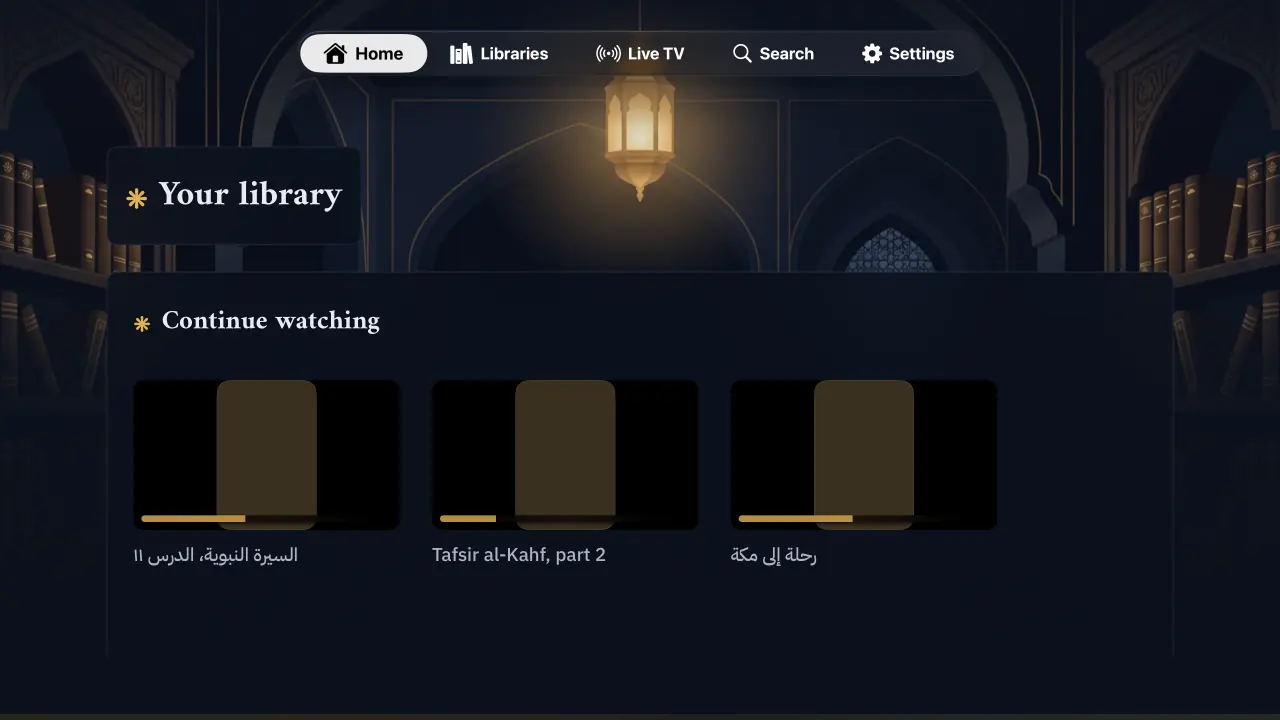
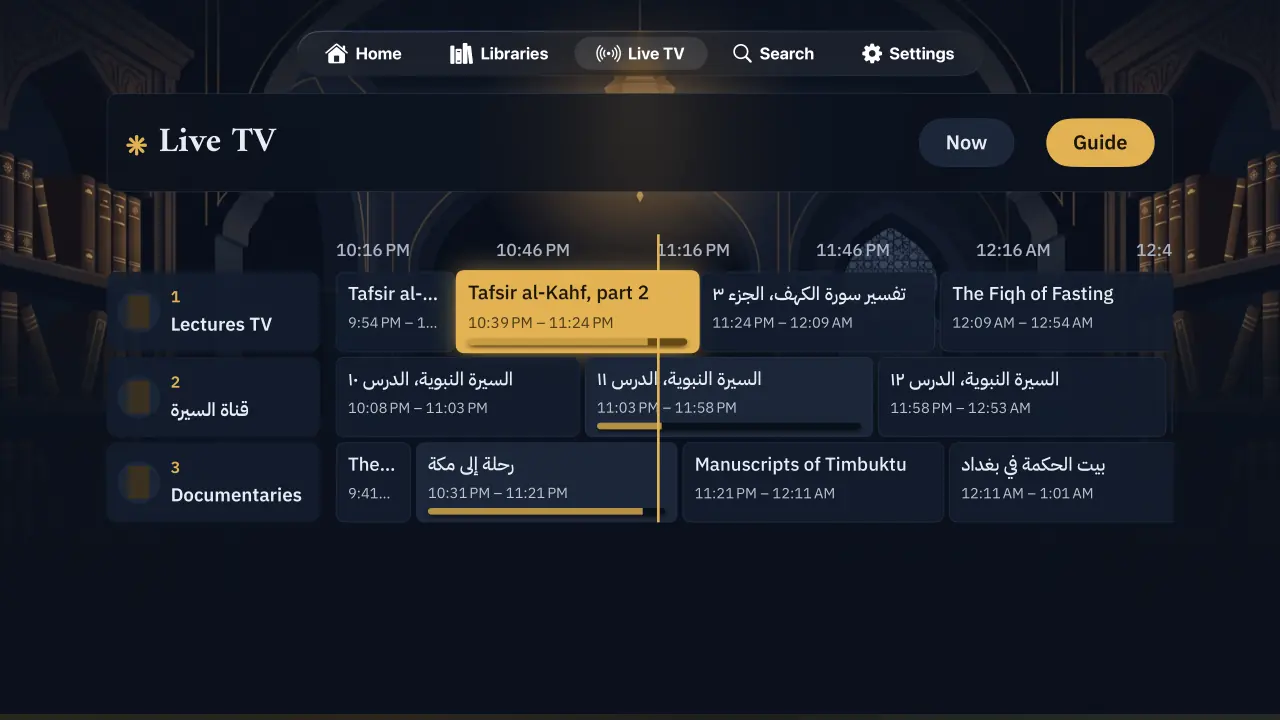
The screenshots are from the Apple TV app. The Android TV app has the same sections, laid out for the Android TV remote.
Every screenshot on these pages was taken in the dark theme on made-up test data: the Apple apps' screenshots come from their UI tests in CI, which run against a pretend home; the Android ones from the apps' screenshot tests; the web app and the big screen from a test home filled with invented libraries. The names, titles and codes in them are test data.